RunAPitStop
Service guide · Checked August 15, 2026

How to Service Cars in Run a Pit Stop

Use the current car's visible prompt and tool cue, confirm each interaction completes, then collect the service result. Exact task variants and payout values can differ by progression.

Quick answer

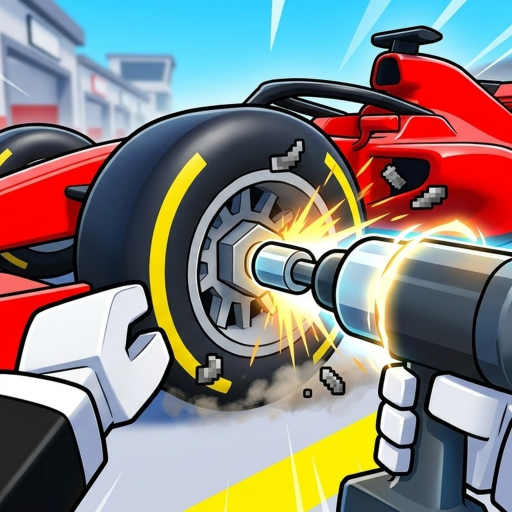
Run a Pit Stop fix cars method: use a bounded car-service procedure, follow the active prompt, use the official-media wheel-tool observation when shown, confirm completion, run stuck checks, and collect the result. This separates the verified loop from unverified task variants and earnings.

Step by step

Follow the current in-game cues

Run a Pit Stop does not publish a complete task or economy table, so these steps use what the exact game shows in your session.

  1. 1

    Stop at the active car

    Work from the car and task currently highlighted by the game. A complete public task catalog is not available, so an old sequence may not match what your server shows.

  2. 2

    Read the prompt before choosing a tool

    Let the UI identify the interaction instead of cycling through assumed repair tools. Official media visibly supports a wheel-related tool interaction, but it does not verify a complete tool roster.

  3. 3

    Use the indicated interaction point

    Position near the highlighted car area and perform the shown action. Keep the target in view until the progress or completion feedback changes.

  4. 4

    Confirm completion

    Do not leave just because the animation started. Wait for the current task to clear or the game to advance to the next prompt.

  5. 5

    Collect and return to the loop

    Collect the displayed result, reduce avoidable downtime, and start the next visible service task. Compare an upgrade only after the game provides values you can enter.

Common mistakes

Avoid wasted service cycles

Following a made-up universal repair order

Cars or progression stages may present different prompts. Use the current UI rather than an unsupported list.

Moving before completion

Starting an interaction is not always the same as completing it; wait for the task state to change.

Assuming every tool seen in another game exists here

Match the exact Run a Pit Stop experience before applying a repair tip.

If you're stuck

Check the visible state first

No prompt appears

Check whether another car or target is active, move close to the highlighted area, and confirm you are in the exact place.

The tool does not act

Recheck the current target and visible tool cue. Do not infer a hidden tool requirement from another game.

The payout is different

Use the value shown in your session. No complete stable public service-earnings table is published here.

Questions

How to Service Cars in Run a Pit Stop FAQ

Which service tools are confirmed?

Official media visibly supports a wheel-related tool interaction, but no complete public tool roster was verified.

How much does each service pay?

Use the amount displayed in your current session; a complete stable earnings table is not available.

Why is my service prompt different?

The current car or progression stage may change the task. Follow the prompt visible now.

What should I do after servicing a car?

Collect the result, begin the next cycle, and compare visible upgrade values before spending.

Next step

Continue with the page for your next decision

More guides after How to Service Cars in Run a Pit Stop